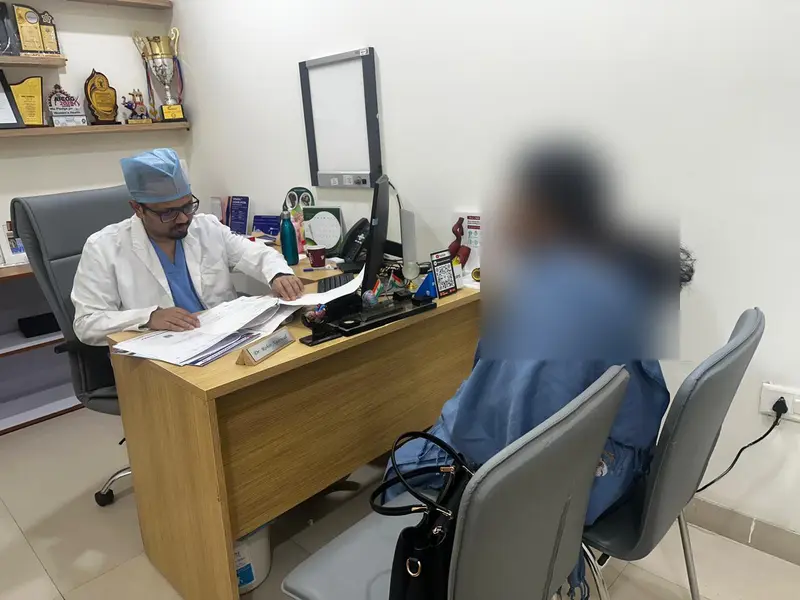
Step-by-Step Guide: Book Online Video Consultation
Follow along with screenshots from the actual booking process.
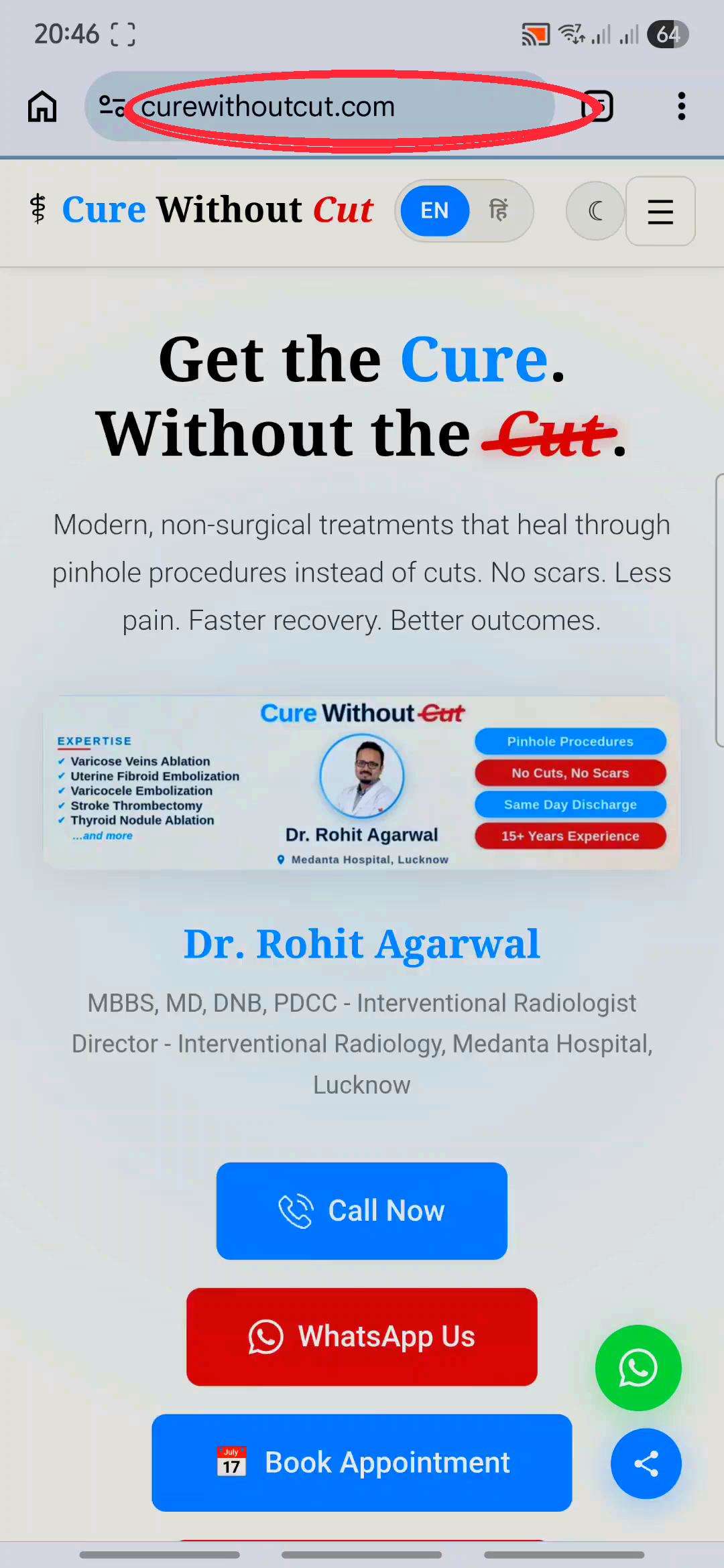
Tap "Book Appointment"
On the homepage, tap the "Book Appointment" button. This takes you to the Medanta booking page.
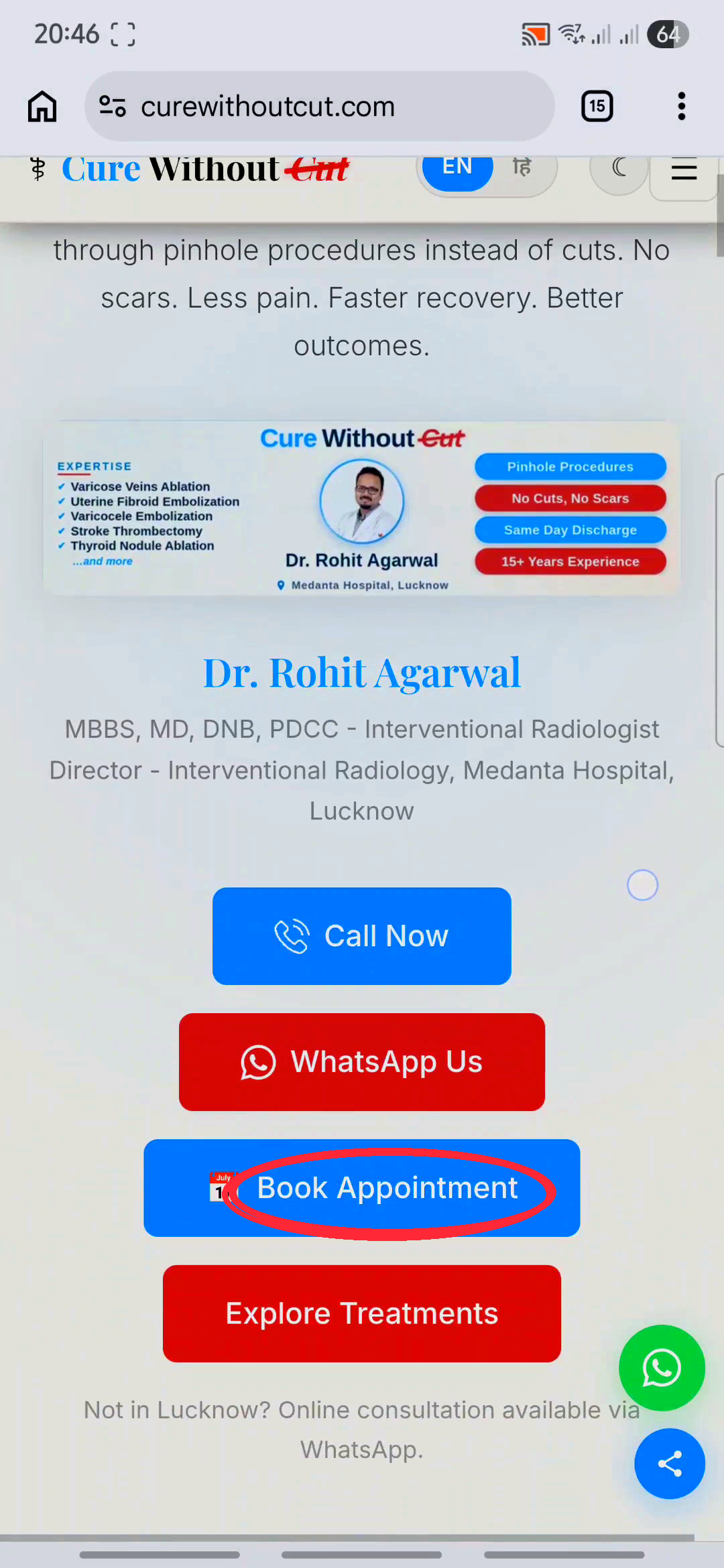
View Dr. Rohit Agarwal's Profile
On the Medanta page you'll see Dr. Rohit Agarwal's profile. Review it, then tap "Book an Appointment".
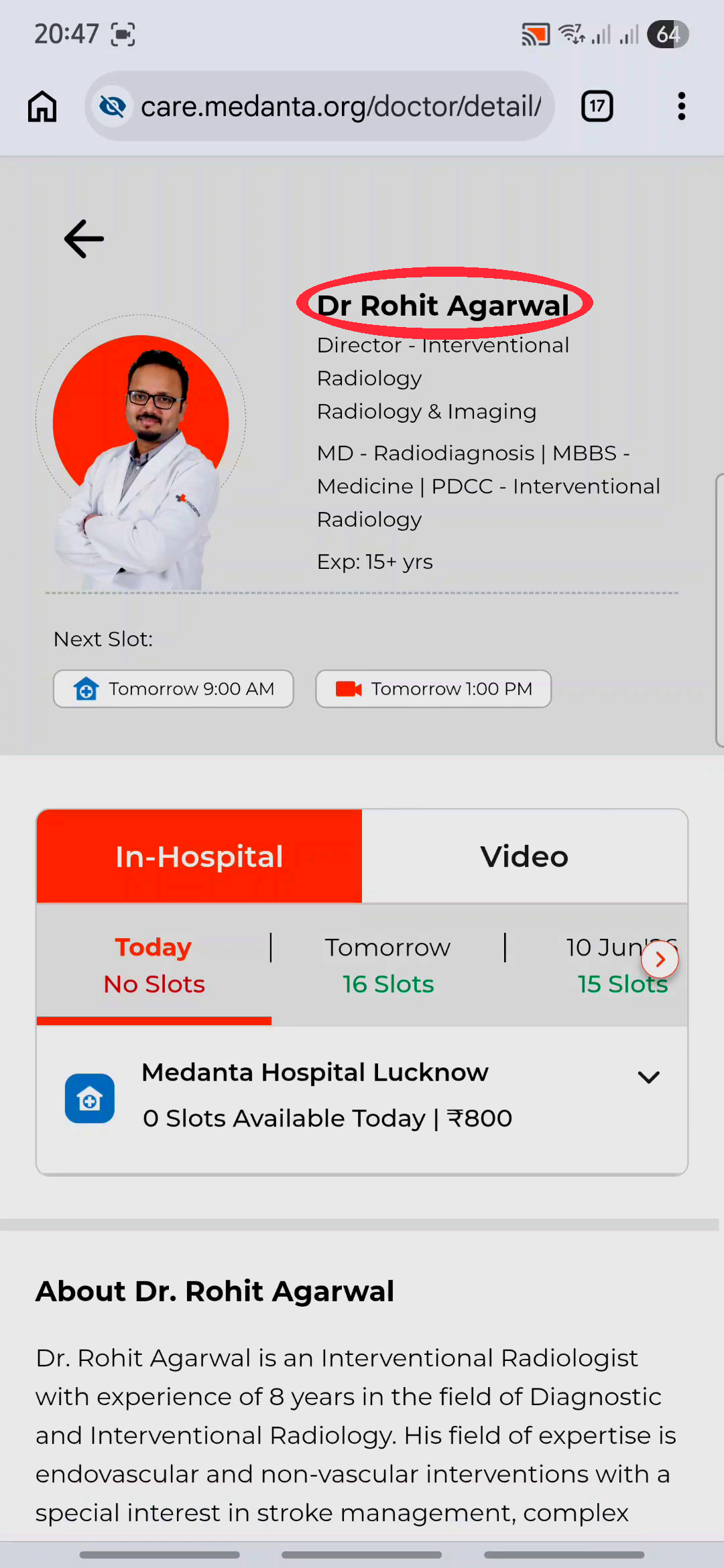
Choose "Video" (Online) Consultation
Select the "Video" tab for an online consultation.
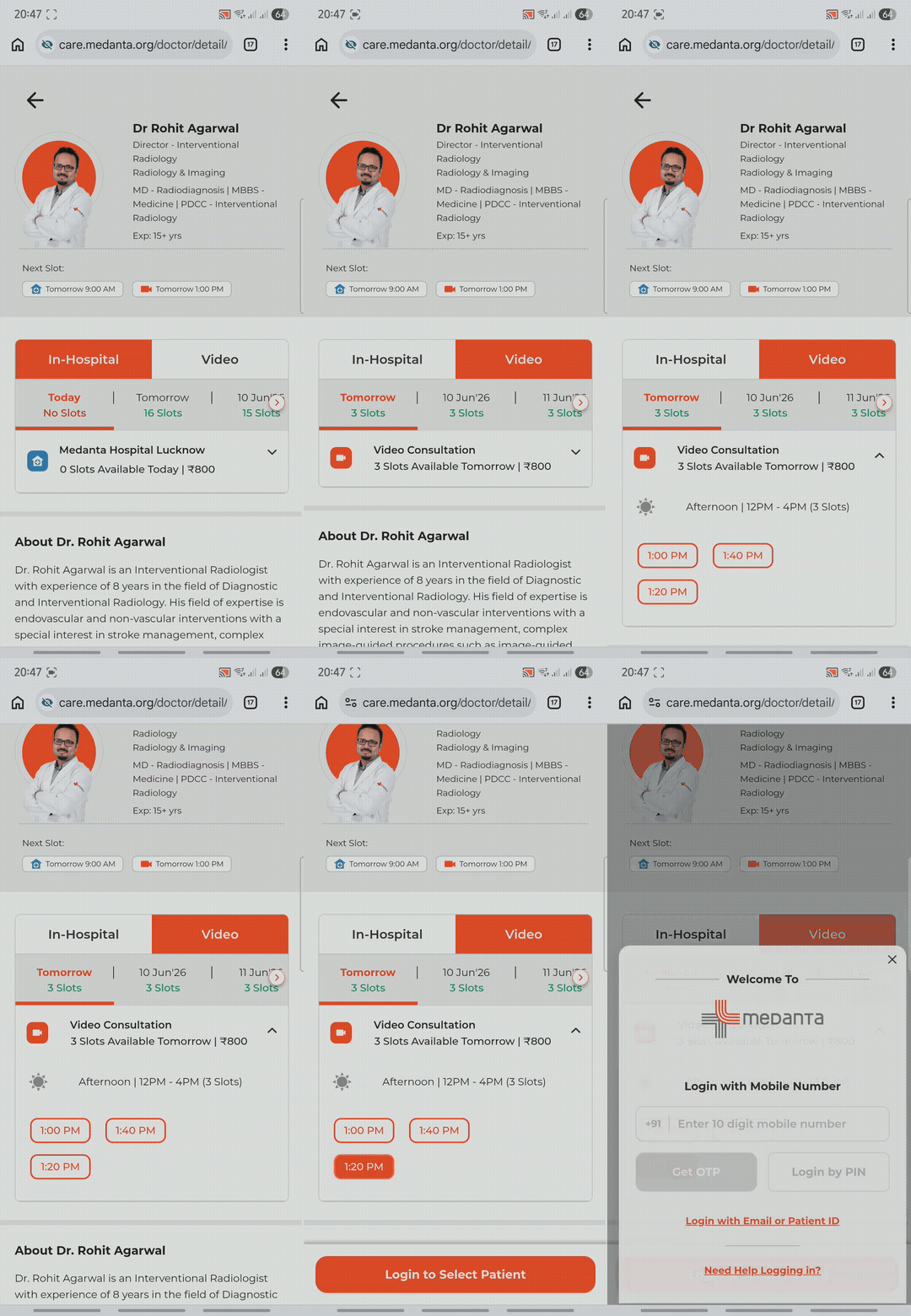
Pick a Date & Time Slot
Choose a date and an available time slot that suits you.
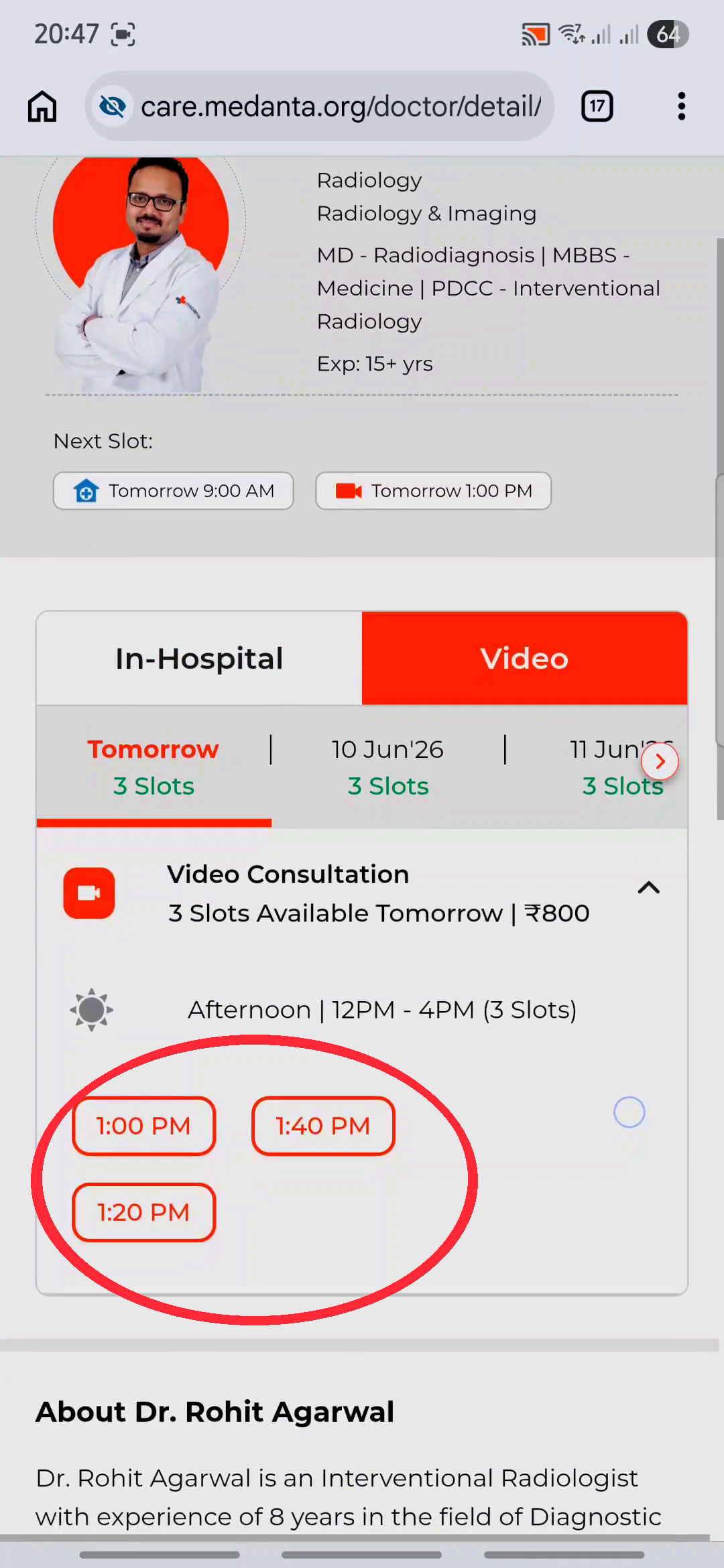
First-Time Registration
If this is your first time on the Medanta portal, you'll need to create a quick profile (Steps 6–9).
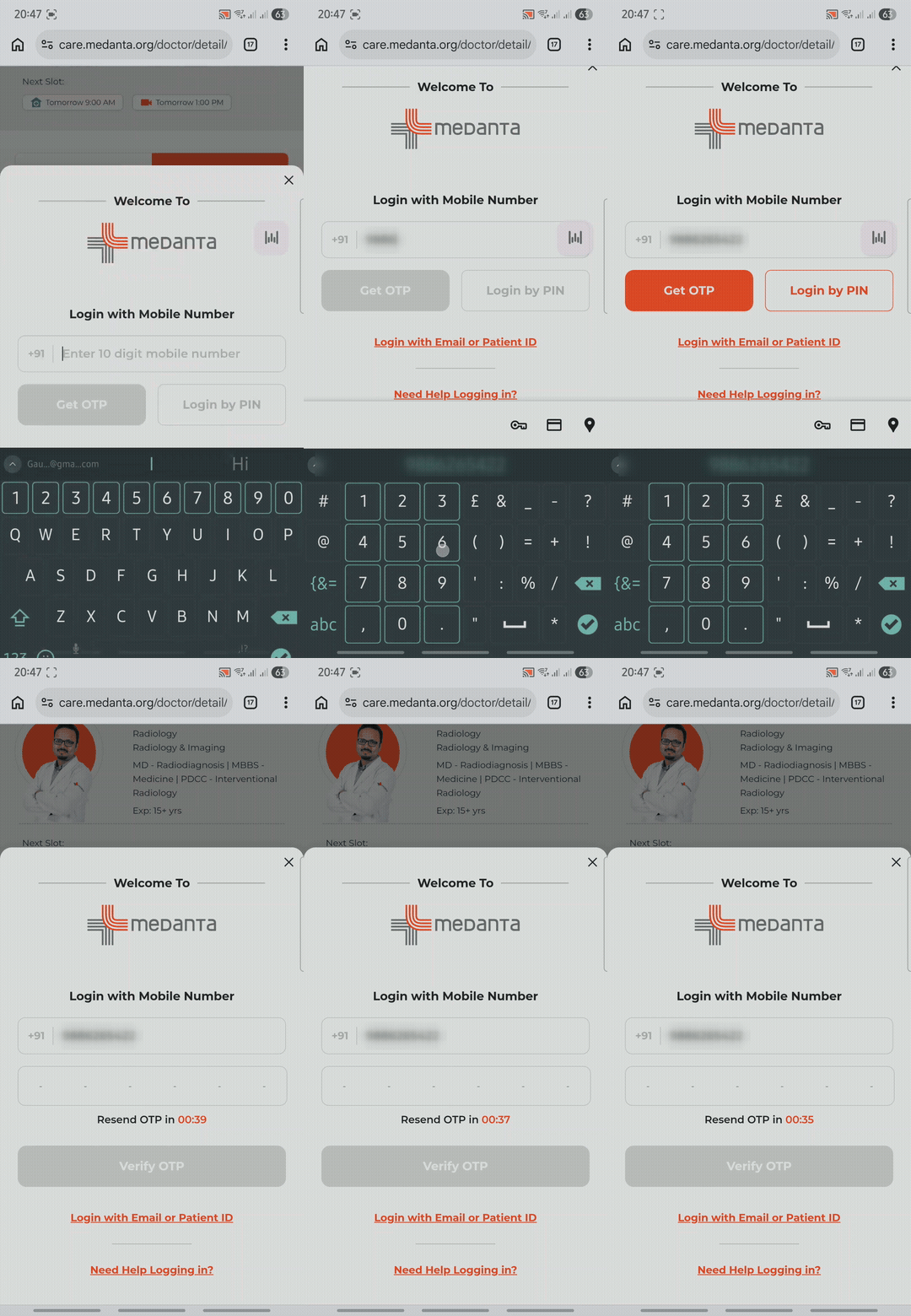
Log In with Your Mobile Number
Enter your mobile number and verify with the OTP. Already registered? Just log in and select your profile.
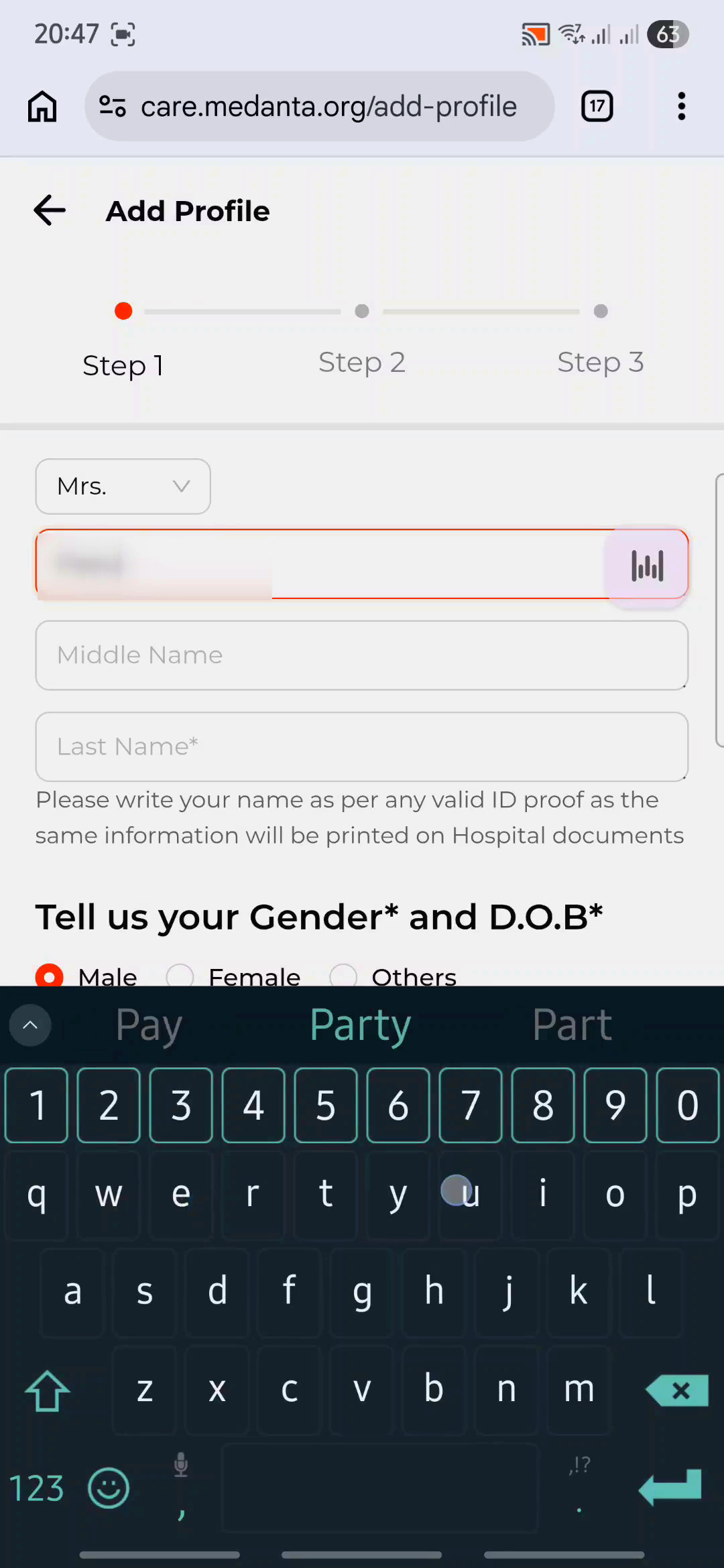
Fill In Your Details
Enter your name, gender, and date of birth.
Add Your Address
Enter your address and pincode.
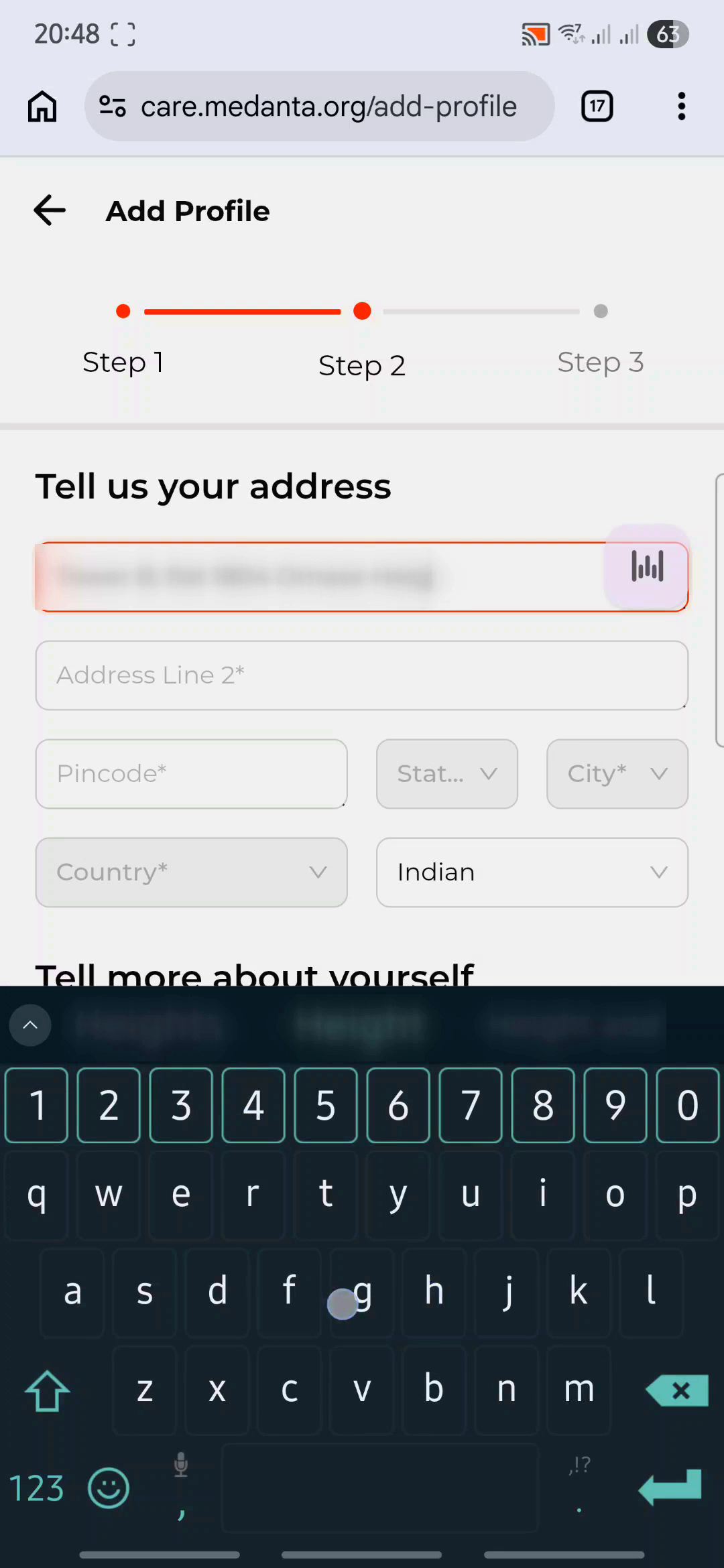
Set a 6-Digit PIN
Create a 6-digit PIN for easy future access. Your profile is now created!
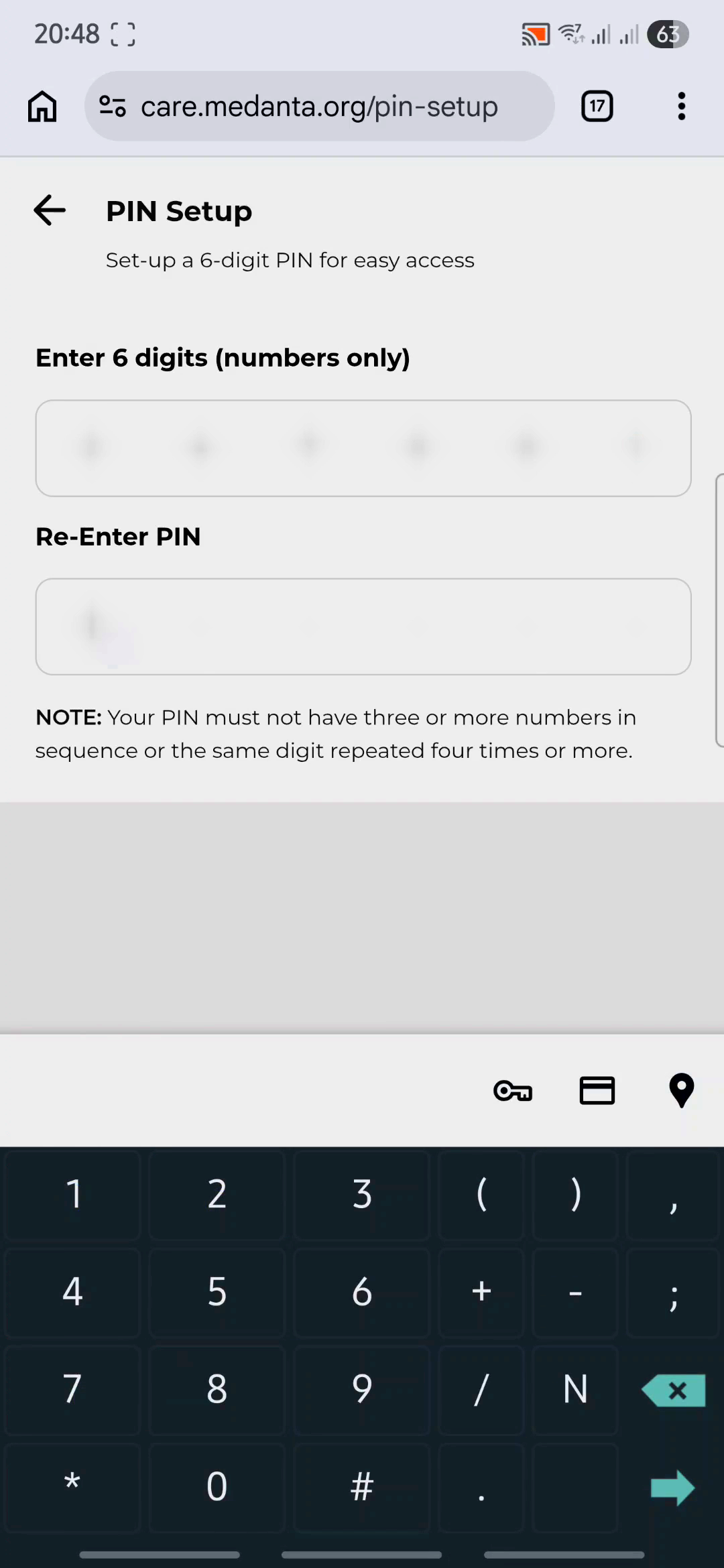
Now Book Your Appointment
Search for Your Doctor
Now that your profile is ready, tap the search bar and type "Dr. Rohit Agarwal".
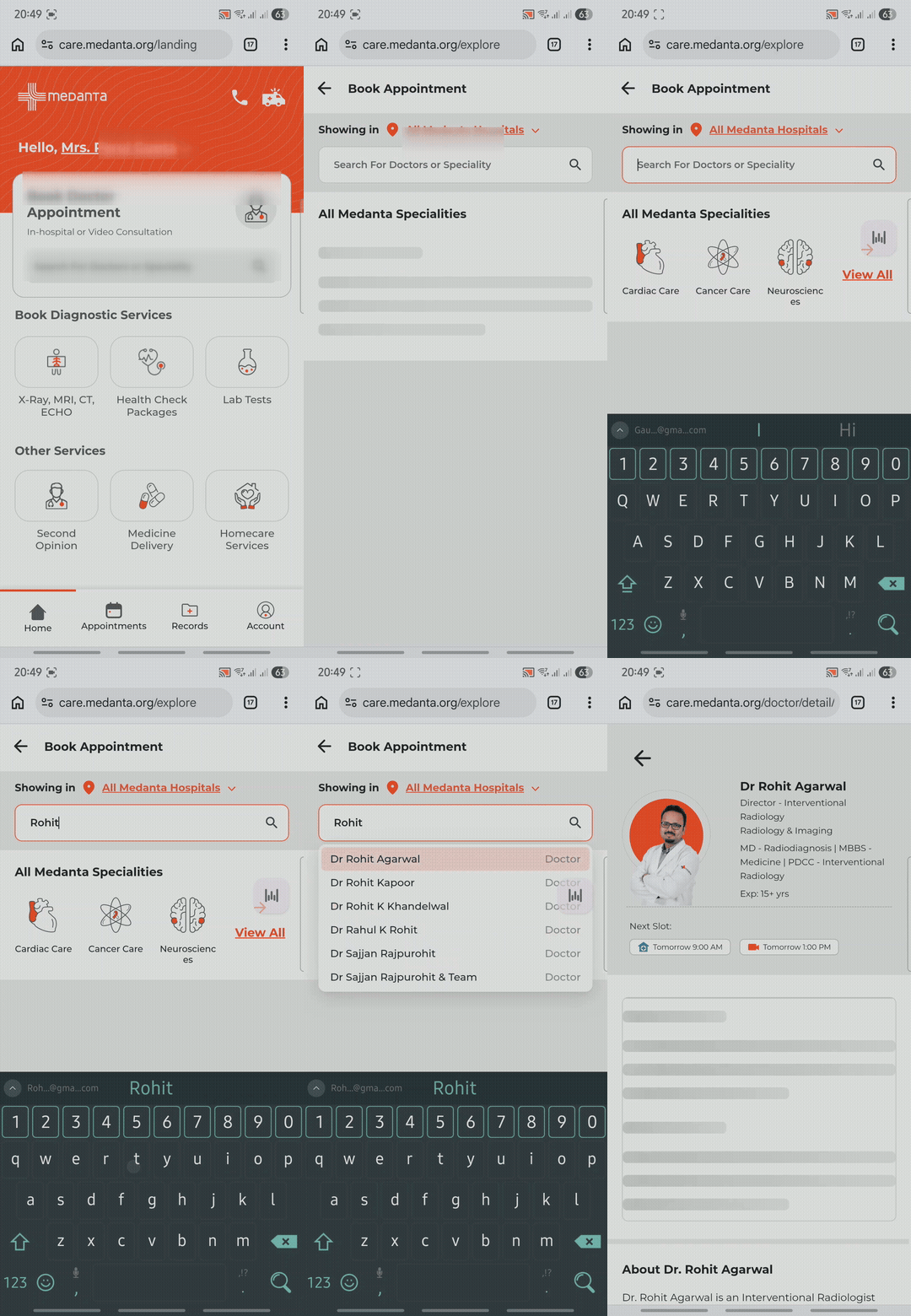
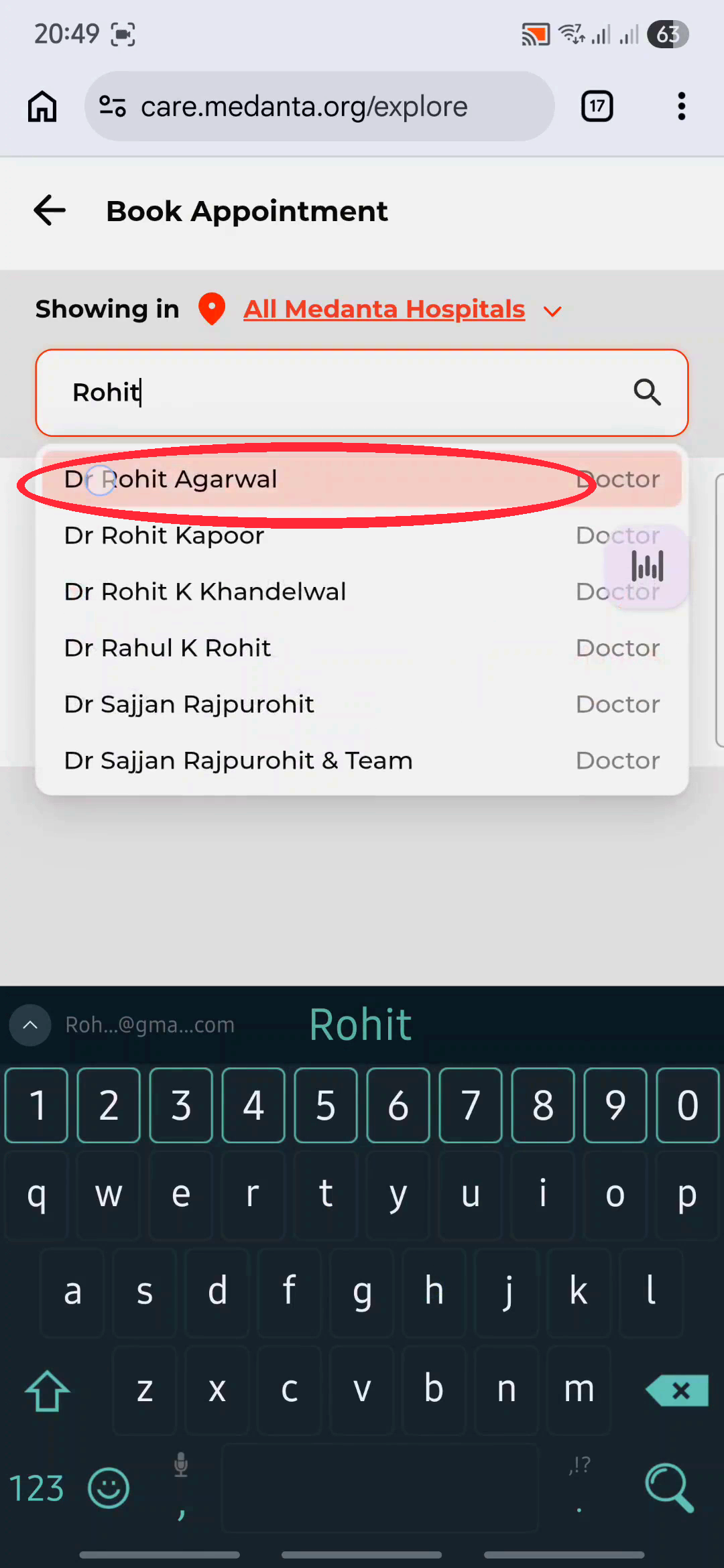
Select Dr. Rohit Agarwal
Tap "Dr Rohit Agarwal" from the search results to open his profile.
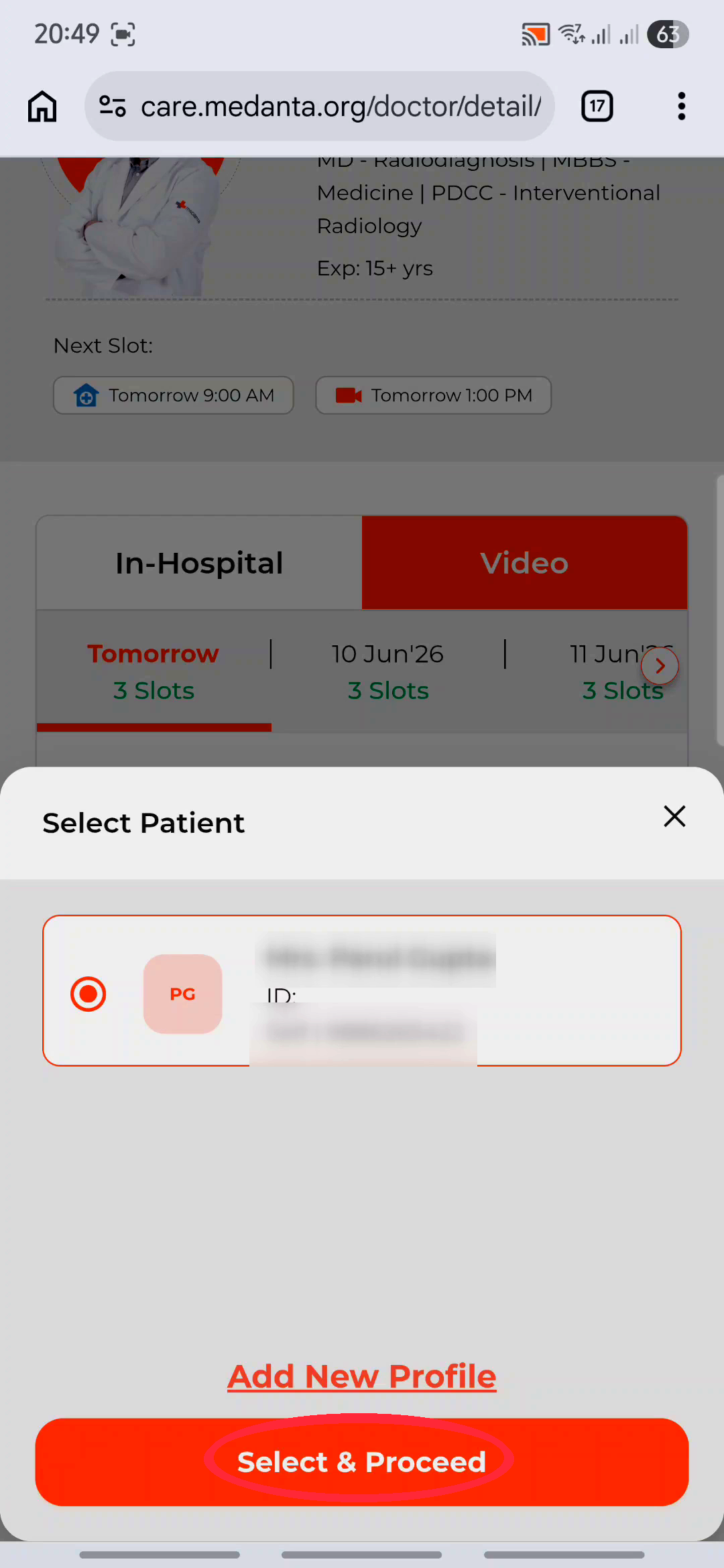
Pick Your Slot & Select Patient
Choose "Video" again, pick your time slot, select your patient profile, and tap "Select & Proceed".
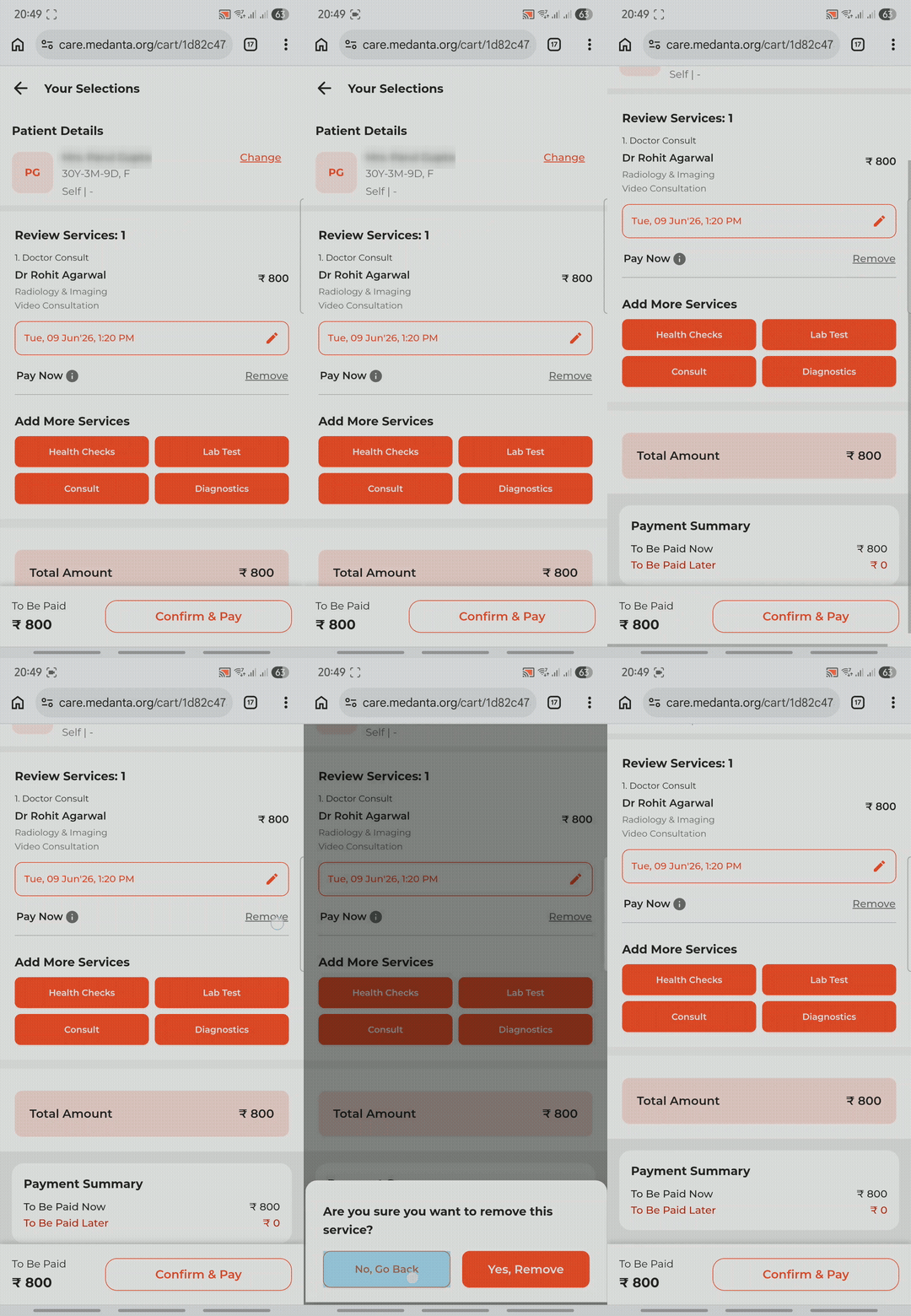
Review Your Booking
Carefully review your appointment details and amount.
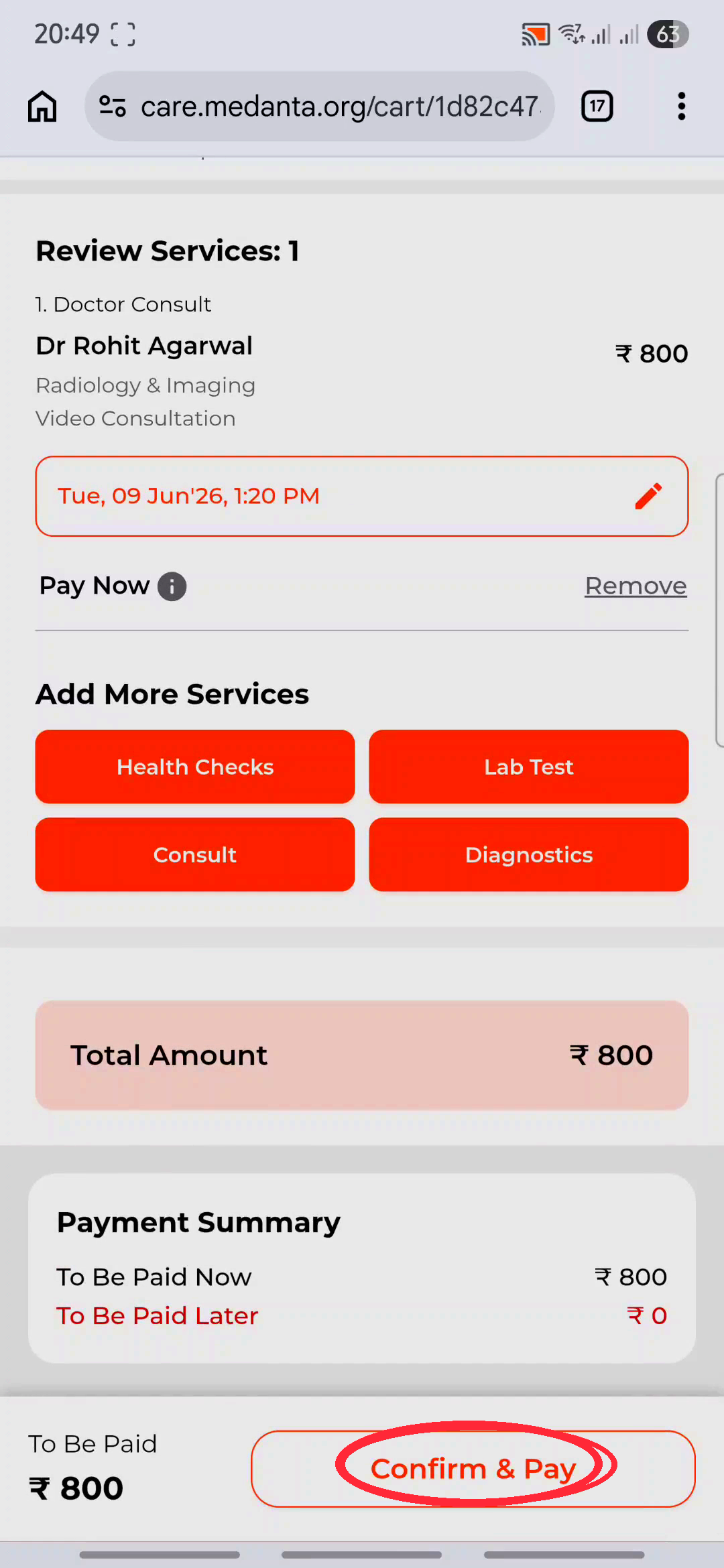
Confirm & Pay
Tap "Confirm & Pay" to complete the secure payment — your appointment is booked!
Frequently Asked Questions
How much does an online consultation cost?
The consultation fee is ₹800. You can pay securely through the Medanta portal during the booking process.
What should I prepare before the consultation?
Keep your recent medical reports, ultrasound/MRI images, and any prescriptions ready. Upload them on the Medanta portal before your consultation so Dr. Rohit can review them in advance. You can also share them via WhatsApp: wa.me/918604453663
How do I join the video call?
After booking, you'll receive a link via SMS and email. At the scheduled time, simply click the link to join the video consultation from your phone or computer.
Can I book for a family member?
Yes. During registration, you can add multiple patient profiles under one account. Select the correct profile when booking.
What if I need an in-person visit instead?
You can book an in-person appointment the same way — just select "In-Hospital" instead of "Video" in Step 4 and Step 12. Everything else remains the same. Dr. Rohit is available at Medanta Hospital, Lucknow (Mon–Sat, 9 AM – 5 PM).
Ready to Book?
Click below to book your appointment directly, or reach out if you need help.
 Call for Appointment
Not in Lucknow? Online consultation available — book via WhatsApp.